페이지 관리하기

페이지 관리하기

페이지 관리하기

[ 관리자화면에서 선택하는 방법 ]
관리자매뉴얼_페이지_01

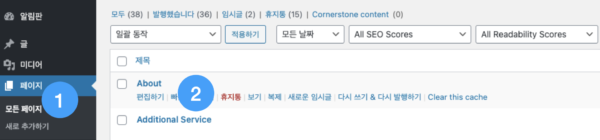
1

관리자화면에서 로그인 후 [페이지] 클릭

2

관리할 페이지 제목 또는 편집하기 클릭

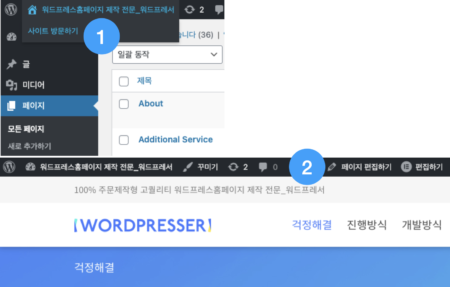
[ 사용자화면에서 선택하는 방법 ]
관리자매뉴얼_02

1

관리자화면 접속 후 [사이트 방문하기]를 클릭하여 사용자화면으로 이동

2

사용자화면에서 편집할 페이지로 이동 후 상단의 [페이지 편집하기] 클릭

[ 텍스트 편집하기 ]
관리자매뉴얼_03
관리자매뉴얼_04

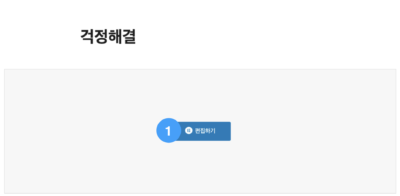
1

[편집하기] 클릭하여 엘레멘토 편집 영역으로 이동

2

왼쪽 텍스트 영역 또는 화면 텍스트 영역에서 텍스트 수정

3

텍스트 수정 완료 후 [업데이트] 클릭 시 사용자화면에 적용 완료

관리자매뉴얼_05

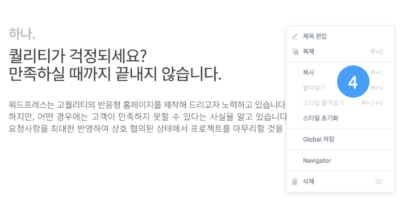
4

마우스 오른쪽을 클릭 시 복사 및 삭제 가능

[ 이미지 편집하기 ]
관리자매뉴얼_06

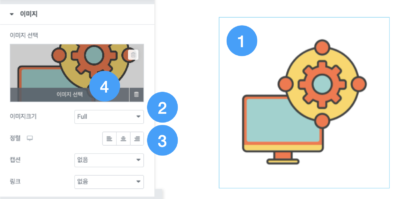
1

편집할 이미지 선택

2

[이미지크기] 영역에서 이미지 사이즈 변경 가능

3

[정렬] 영역에서 이미지 정렬 변경 가능

4

이미지 변경 시 [이미지 선택] 클릭

관리자매뉴얼_07

5

이미지 등록 : [파일 업로드하기]에서 이미지 파일 업로드 또는 [미디어 라이브러리]에 업로드할 이미지 드래그 앤 드롭

6

사용할 이미지 선택

7

[미디어 삽입] 클릭 시 선택된 이미지로 변경

We value your privacy

We use cookies to make this website work and, with your permission, to understand how it is used and to measure our advertising. Necessary cookies are always on. Analytics and marketing cookies stay off unless you choose “Accept all” or switch them on under “Customize”. You can change your choice at any time from “Cookie settings” at the bottom of the page. Read our Privacy Policy.
Strictly necessaryNeeded for the site to work: security, your language choice and remembering your cookie settings. These cannot be switched off.
Always active