스팸 차단 플러그인 – Akismet Anti-Spam 설치방법

스팸 차단 플러그인 – Akismet Anti-Spam 설치방법

스팸 차단 플러그인 – Akismet Anti-Spam 설치방법

Akismet 플러그인은 스팸 댓글을 차단해 주는 플러그인입니다. 아이린앤컴퍼니에서는 고객에게 기본으로 설치해 드리는 플러그인입니다.
 
관리자 메뉴 플러그인에서 [아키스밋 계정을 활성화 하세요] 버튼을 클릭합니다.
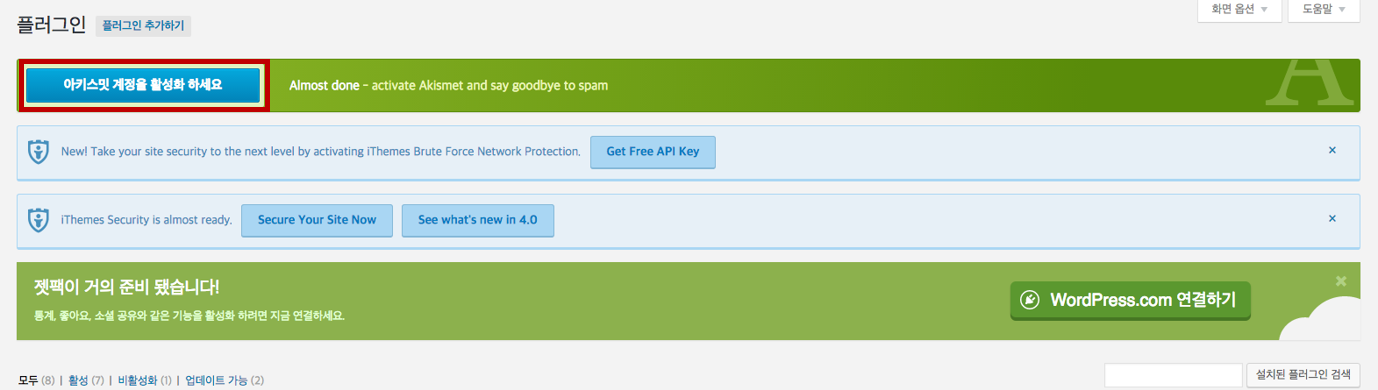
akismet_1
 
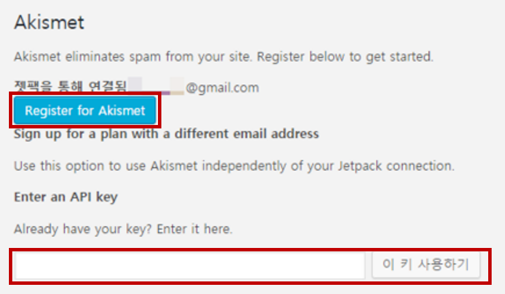
필수 플러그인 젯팩 플러그인을 통해 워드프레스 계정을 연결했다면 [Register for Akismet] 버튼을 바로 클릭하시면 됩니다.
하단에 API 키를 받기 위하여 아키스밋 사이트( http://akismet.com/wordpress/ )로 이동합니다.
akismet_2
 
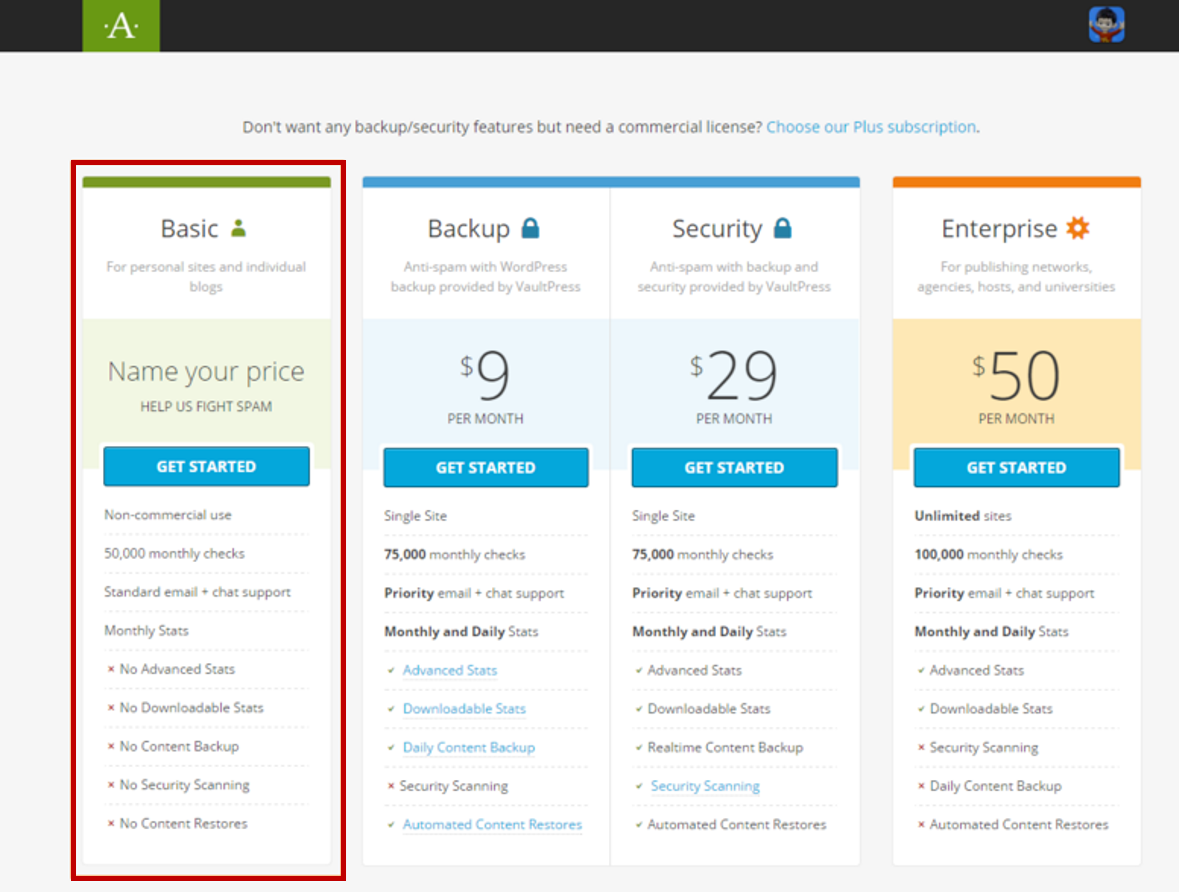
아키스밋 서비스 종류 중 무료인 Basic의 GET STARTED 버튼을 클릭합니다.
akismet_3
 
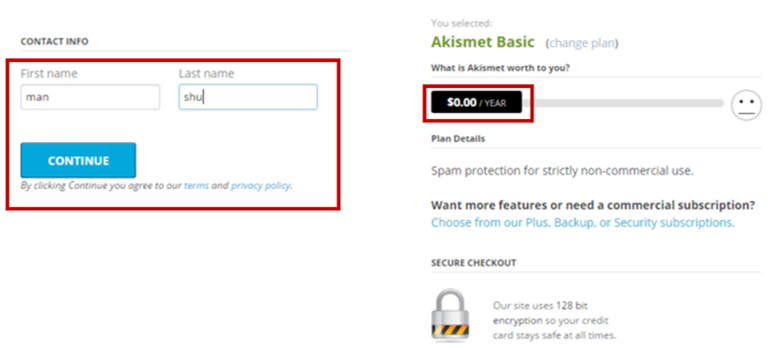
카드번호를 입력하는 화면이 나타나면 베이직은 무료이므로 금액이 나타난 바를 왼쪽으로 드래그하여 $0.00/YEAR 로 바꾼 다음 성명을 입력하고 [CONTINUE] 버튼을 클릭합니다.
akismet_4
 
아키스밋 API 키가 나타나면 복사하여 관리자화면에 붙여 넣고 [이 키 사용하기]를 클릭하면 완료됩니다.
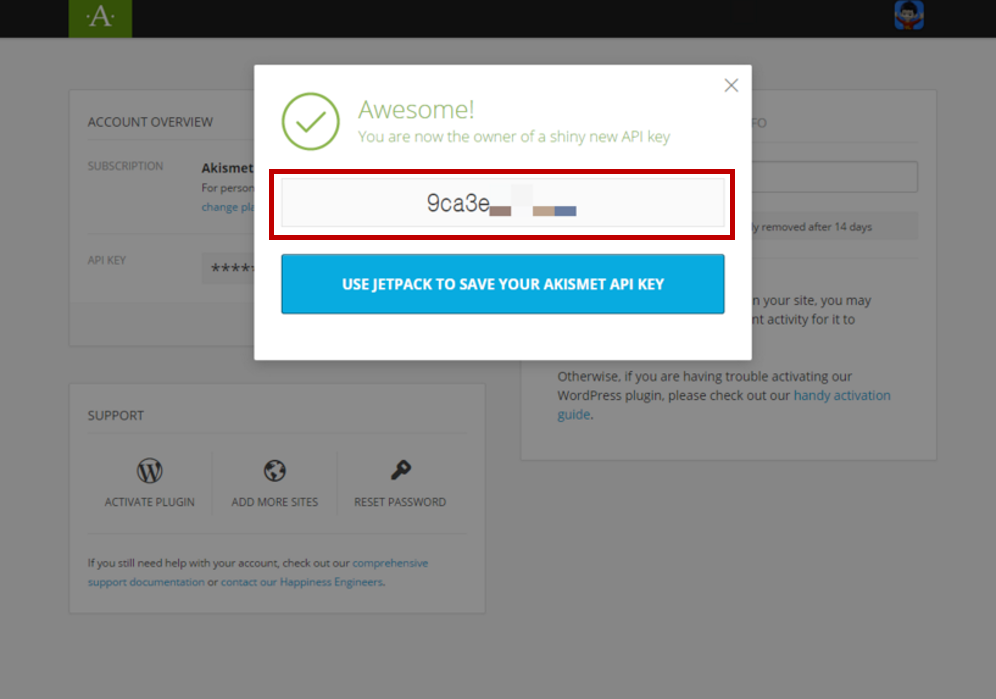
akismet_5
 
[이 키 사용하기] 버튼 클릭 후 10~20초 후 연결 작업이 진행되고, 계정이 활성화 되면 아키스밋 설정 화면이 나타납니다. 설정 내용을 확인하고 [변경 사항 저장]을 크릭하면 모든 설정 작업이 완료됩니다.
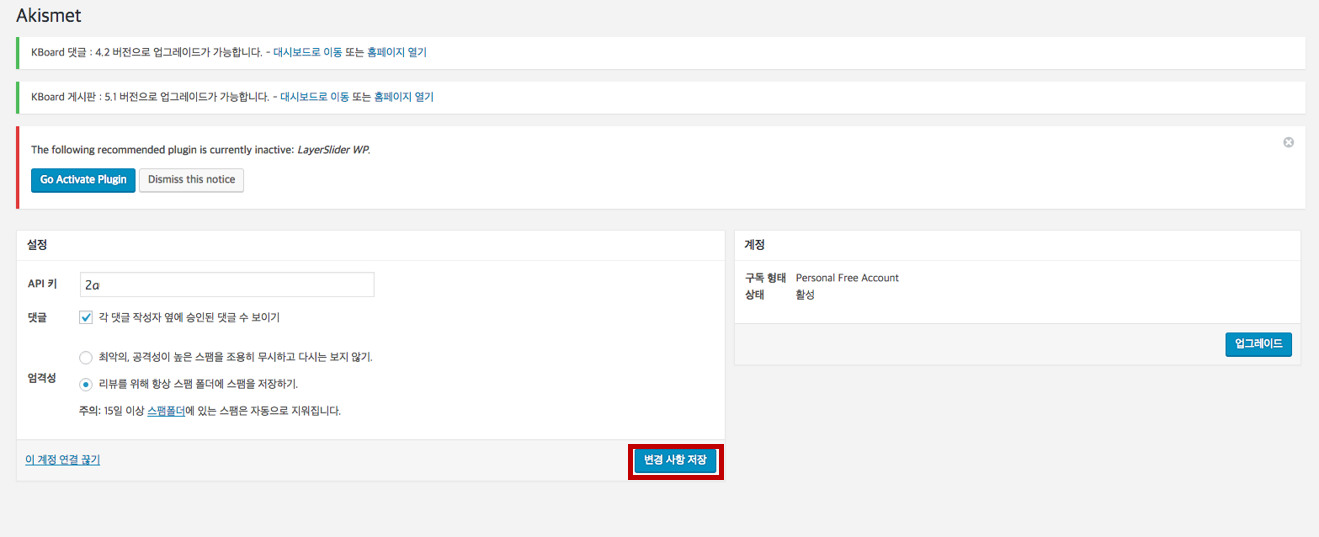
akismet_6
 
관리자 메뉴 [댓글]에 들어가면 [스팸] 이라는 서브메뉴에서 차단 된 댓글을 확인할 수 있습니다.
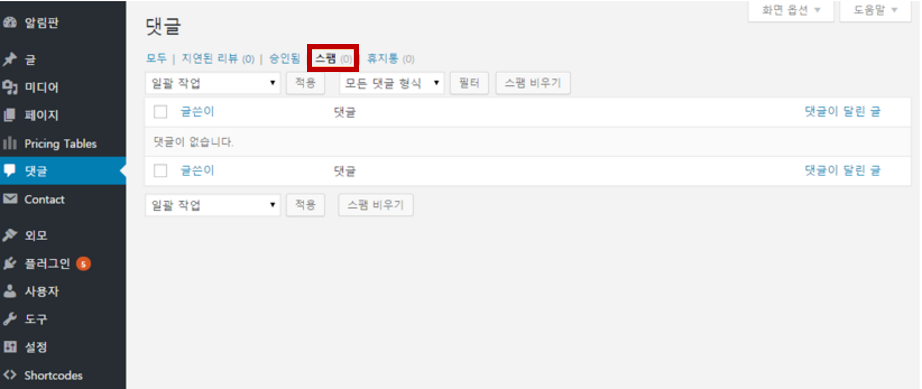
akismet_7

We value your privacy

We use cookies to make this website work and, with your permission, to understand how it is used and to measure our advertising. Necessary cookies are always on. Analytics and marketing cookies stay off unless you choose “Accept all” or switch them on under “Customize”. You can change your choice at any time from “Cookie settings” at the bottom of the page. Read our Privacy Policy.

Strictly necessaryNeeded for the site to work: security, your language choice and remembering your cookie settings. These cannot be switched off.
Always active