WooCommerce 관리 옵션 및 설정
우커머스 튜토리얼의 마지막 부분에서는 사용 가능한 설정을 살펴보겠습니다. 무슨 일이 일어나고 있는지 정확히 알 수 있도록 모든 메뉴 항목을 하나씩 설명하겠습니다. 명령 이 메뉴는 귀하의 상점에서 현재 주문 상태를 보여줍니다.

우커머스 튜토리얼의 마지막 부분에서는 사용 가능한 설정을 살펴보겠습니다. 무슨 일이 일어나고 있는지 정확히 알 수 있도록 모든 메뉴 항목을 하나씩 설명하겠습니다. 명령 이 메뉴는 귀하의 상점에서 현재 주문 상태를 보여줍니다.
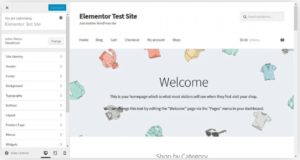
몇 가지 제품을 만들었으면 이제 사람들이 당신의 상품을 구매할 ‘상점’을 설정할 차례입니다. 설치하는 동안 WooCommerce는 당신의 홈페이지로 지정할 수 있는 Shop이라는 새 페이지를 자동으로 생성합니다. 워드프레스 커스터마이저 사용하기 Storefront와 같은
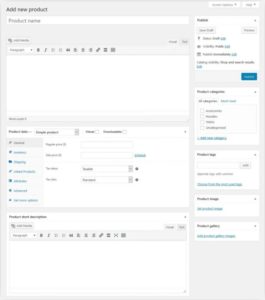
제품 메뉴는 다른 사람들이 구매할 수 있는 것들로 상점을 채우는 곳입니다. 방법은 다음과 같습니다. 제품 추가 예상할 수 있듯이 제품 > 새로 추가를 통해 판매할 항목을 만듭니다. 클릭하면 익숙한 화면으로 이동합니다. WooCommerce에서
온라인 비즈니스를 시작하려는 경우 다양한 플랫폼 중에서 가장 적합한 플랫폼을 찾아야 합니다. 각 플랫폼은 여러 기능을 제공하며 저마다의 장점과 단점이 있습니다. 요즘 시장에서 찾을 수 있는 여러 전자 상거래 플랫폼